Your Complete Guide to your upcoming
Moby + Underworld Show
Get ready for the show with everything you need to know to ensure a smooth experience. Be sure to check back for updates closer to the show so you don’t miss a thing.
Download App

Goldenvoice Mobile App
GOLDENVOICE MOBILE APP
Download & Install the Goldenvoice Concerts app on your iOS or Android device abd use the app to scan in with your AXS Mobile ID pass for entry and stay in the loop.


AXS Mobile ID
LOAD YOUR TICKETS FOR ENTRY
AXS Mobile ID is your ticket into the show. Load your tickets in the Goldenvoice app and scan your unique barcode at the entrance - it’s fast, secure, and stress-free. Separately purchased AXS Mobile ID digital parking passes will also appear in your account (VIP purchases include (1) preferred parking pass per order).

Step 1: Click on "My Tickets"
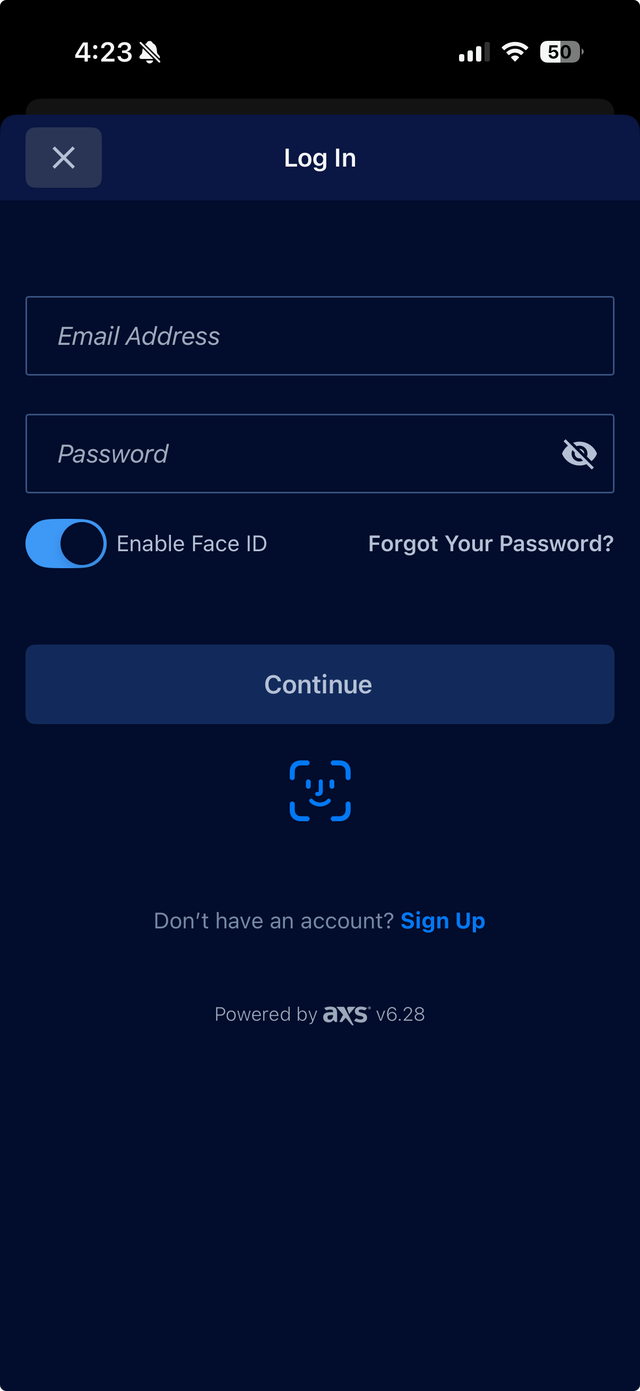
Step 2: Sign in to your AXS account
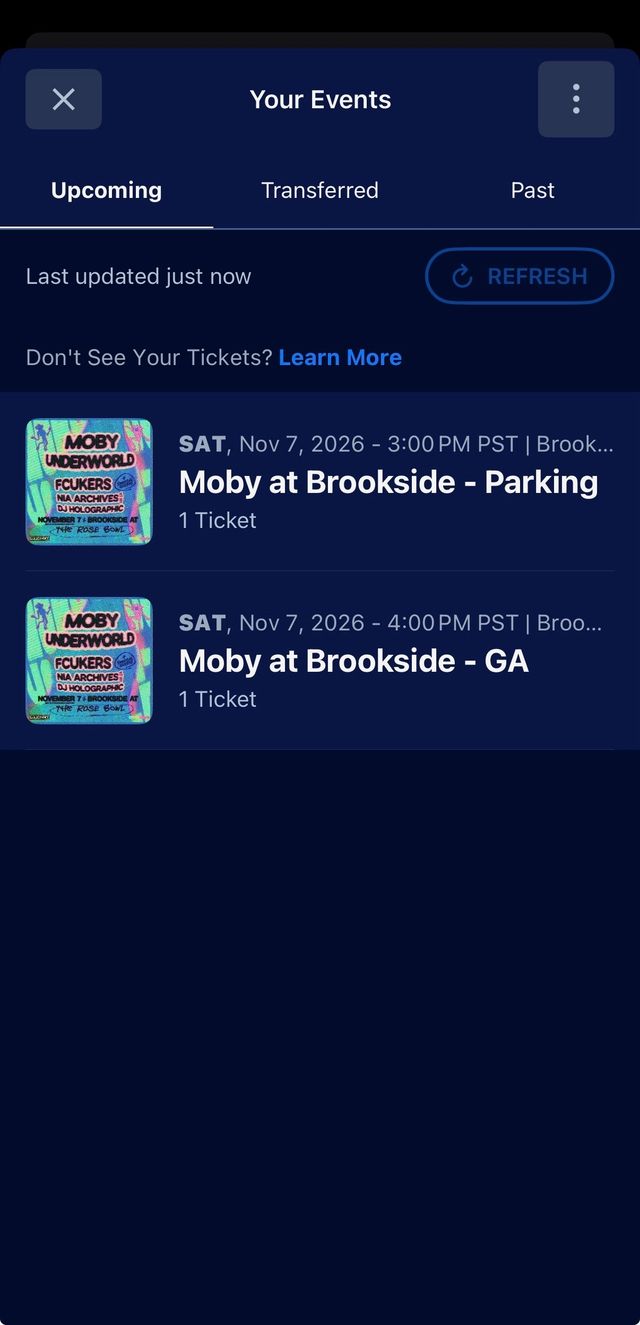
Step 3: View your tickets in the app
HOW TO TRANSFER PASSES ON AXS
If your group is arriving separately, you may transfer individual passes through your AXS account. Please note, the transfer option will be turned on closer to the show.
- Click on “Tickets” and select the event.
- Click “Transfer”.
- Select the ticket(s) you would like to transfer.
- Select your contact or enter the recipient's first name, last name, and email address.
- Click “Continue”.
- Review the information and click “Transfer”.
Know Before You Go
SHOW CHECKLIST:
- Plan how you’ll arrive at the show; arrive early to avoid traffic
- Load your tickets into the Goldenvoice or AXS app
- Review the bag policy & items you can and can’t bring into the show
- Review info on times & arrival policies
- Enjoy the show!


Event Location, Start & End
Event Location, Start & End
Parking opens at 3 PM. Event gates open at 4 PM. No overnight camping.
Brookside at the Rose Bowl is located at 1001 Rose Bowl Dr, Pasadena, CA 91103.

Parking
Parking
Parking Lots open at 3 PM. Pre-Paid Parking is strongly recommended, and can be purchased via your AXS Account as an add-on.
Carpooling is strongly encouraged. Explore the venue & parking maps and directions.
VIP ticket holders receive (1) Preferred Parking pass per order.

Shuttles & Rideshare
Shuttles & Rideshare
There is no shuttle service for this event.
Rideshare drop off and pick up is located in Lot H. Follow signage to enter Lot H on the south side of the Rose Bowl Stadium.

Metro
Metro
Take the A Line to Memorial Park Station. Then, take a short walk from Old Town Pasadena to the Rose Bowl Stadium and Brookside venue via the scenic Arroyo Secco trail. Plan your trip and view the Metro Map for more info.

Event Clear Bag Policy
Event Clear Bag Policy
Pack clear & pack light! Bring your items in approved clear bags no larger than 12” x 6” x 12”.

What to Bring, What to Leave
What to Bring, What to Leave
Take a second to review what you can bring in so you don’t have to forfeit any items when you arrive.

FAQs
FAQs
Still have questions? Check out the FAQ page for more detailed questions and answers.

Accessibility & ADA
Accessibility & ADA
This event welcomes all people with disabilities. Learn about eligibility and find info about our Accessibility Services.
Once You're Here
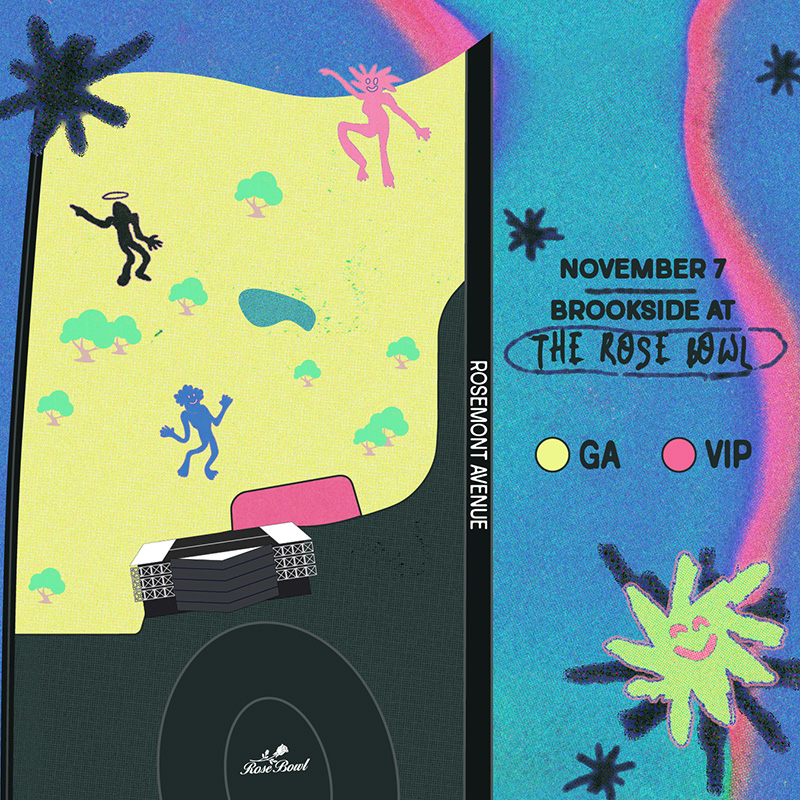
EXPLORE EVENT MAP
View the event and parking maps to familiarize yourself so you know how to quickly get around. A more detailed event map & ADA event and parking maps coming soon. Remember, plan ahead and arrive early!

Merchandise
Merchandise
Shop event merchandise starting at 4 PM! Merchandise booths will be located across from the stage in the North West corner of the venue, and inside the VIP area. Arrive on-time to shop while supplies last.

Special Guests
Special Guests
Come early to see opening sets by DJ Holographic, Nia Archives (DJ set), and Fcukers. Music starts when doors open at 4 PM.

Food & Drink
Food & Drink
Food and drinks will be available for purchase at this event. There will be a wide selection of plant-based options from your favorite local eateries.

Cashless
Cashless
We are a cashless event. Accepted credit card payments include any US-issued and most internationally-issued magstripe or chip cards bearing a Visa, Mastercard, American Express, Discover, JCB or Union Pay logo. Contactless payments are also accepted. Locations where you can convert cash to a pre-paid Visa card will be available.

Lost & Found
Lost & Found
Lose something? Learn how to protect your stuff ahead of arriving and where to view found items in real time.
DID YOU REMEMBER TO:
- Plan how you’ll get to the event and arrival time (arrive early!)?
- Load your tickets into the Goldenvoice app?
- Review items you can and can’t bring into the event & event bag policy?
- Review the Getting Here page for arrival info?
GOT MORE QUESTIONS? CONTACT US!
ORDER INQUIRIES
For help with your order/account, please contact AXS order support:
https://support.axs.com/
Hours:
Mon - Fri 8am-10pm CST
Sat - Sun 12pm-10pm CST
Please include your order number in your correspondence.
Live chat available.
ALL OTHER INQUIRIES
For all other inquiries, please visit here.